
LinkedIn Scheduling
Made Simple
Schedule LinkedIn posts in advance and auto-publish them at the perfect time. No more last-minute panics or missed deadlines.
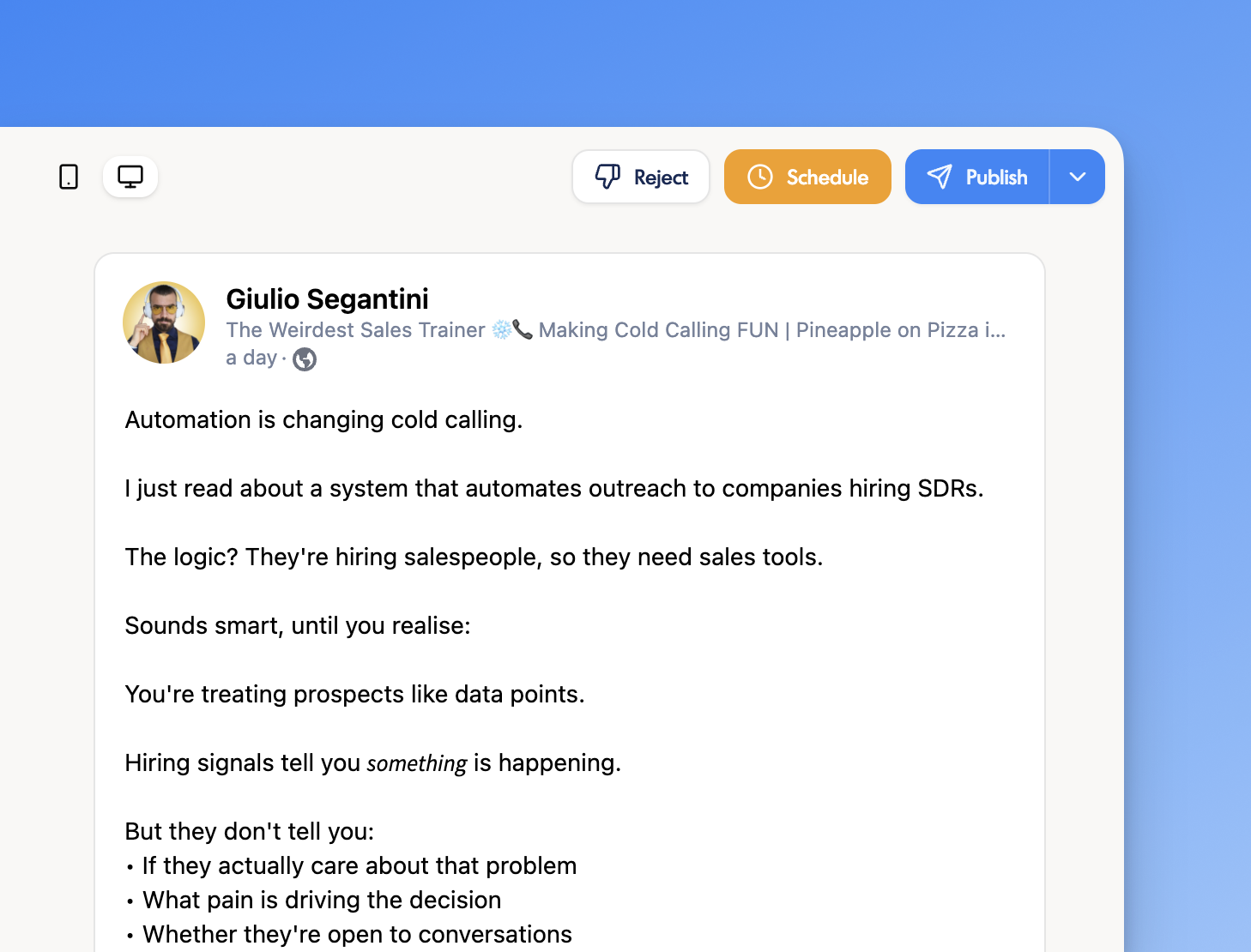
How to Schedule LinkedIn Posts on inkiro.ai
Start scheduling in just 3 simple steps.
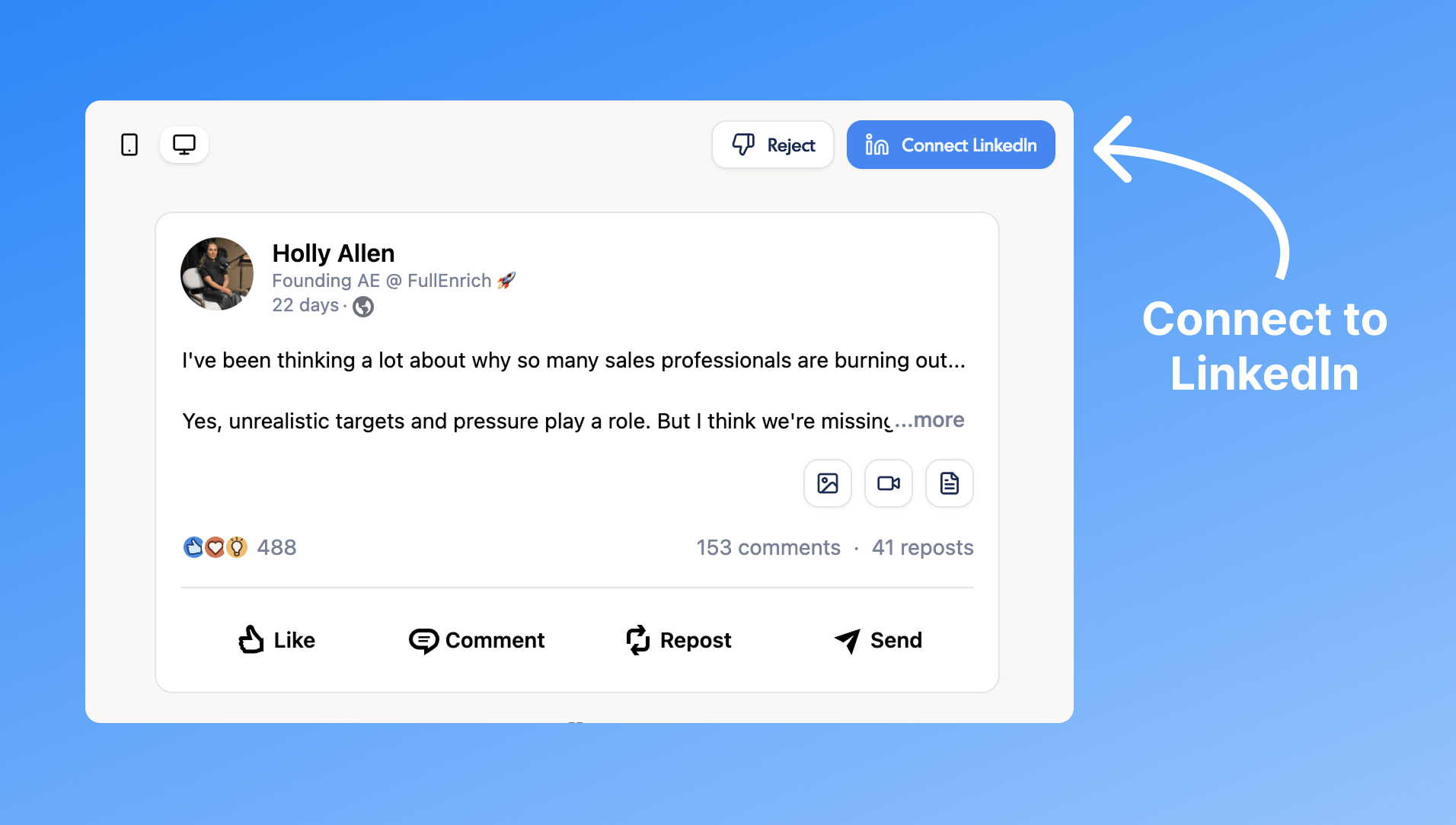
Connect your LinkedIn account
Create your free account and connect your LinkedIn profile through our secure OAuth integration. Your credentials are never stored (we use LinkedIn's official API).
Pro tip: You can also schedule LinkedIn Company Page posts if you're an admin of a company page.
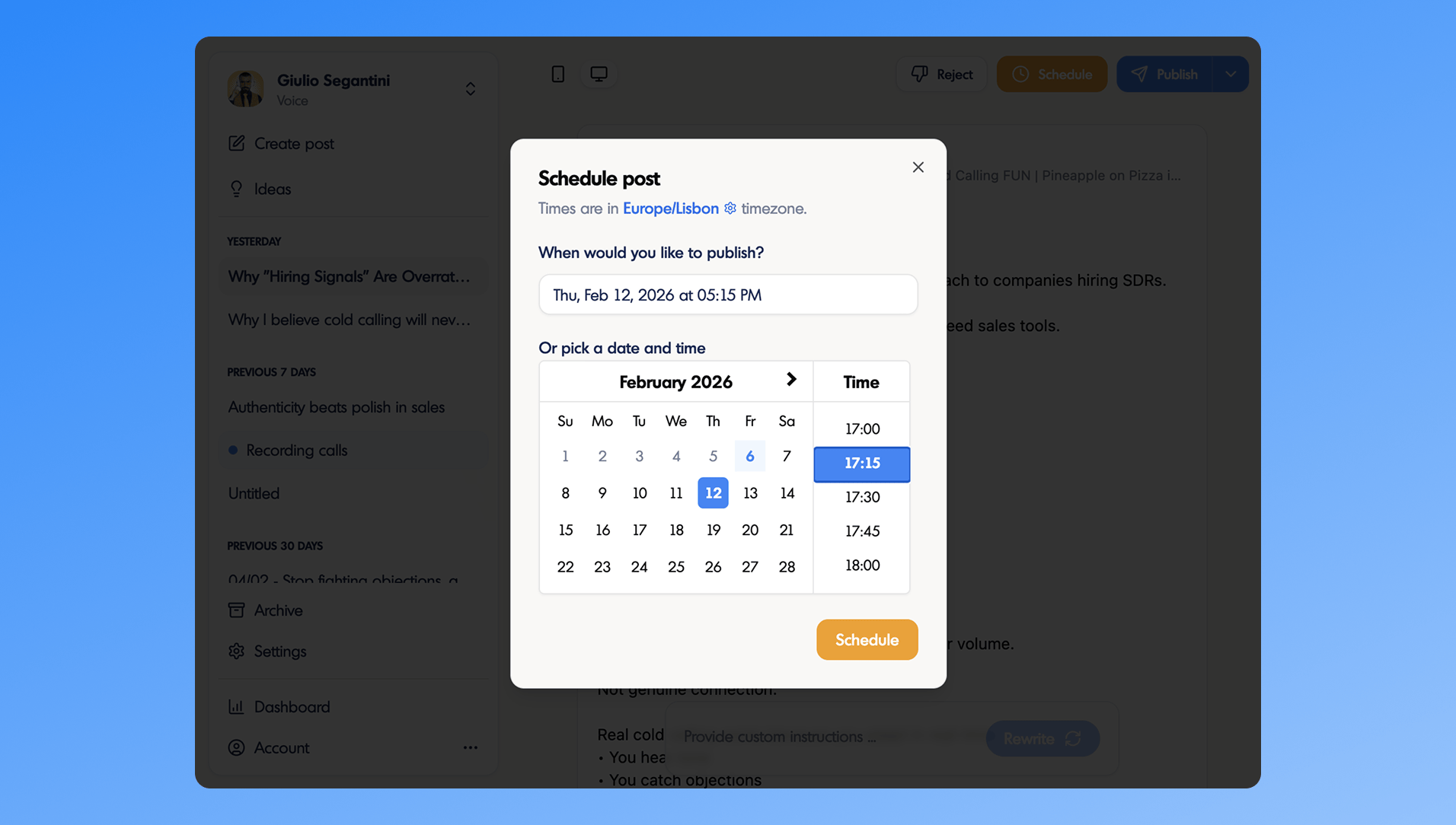
Create and schedule your posts
Write your LinkedIn post, add images, videos, or documents, then pick your publish date and time. Our LinkedIn scheduler supports all content types including images, videos,and PDF carousel posts.
Sit back and let auto-publish do the work
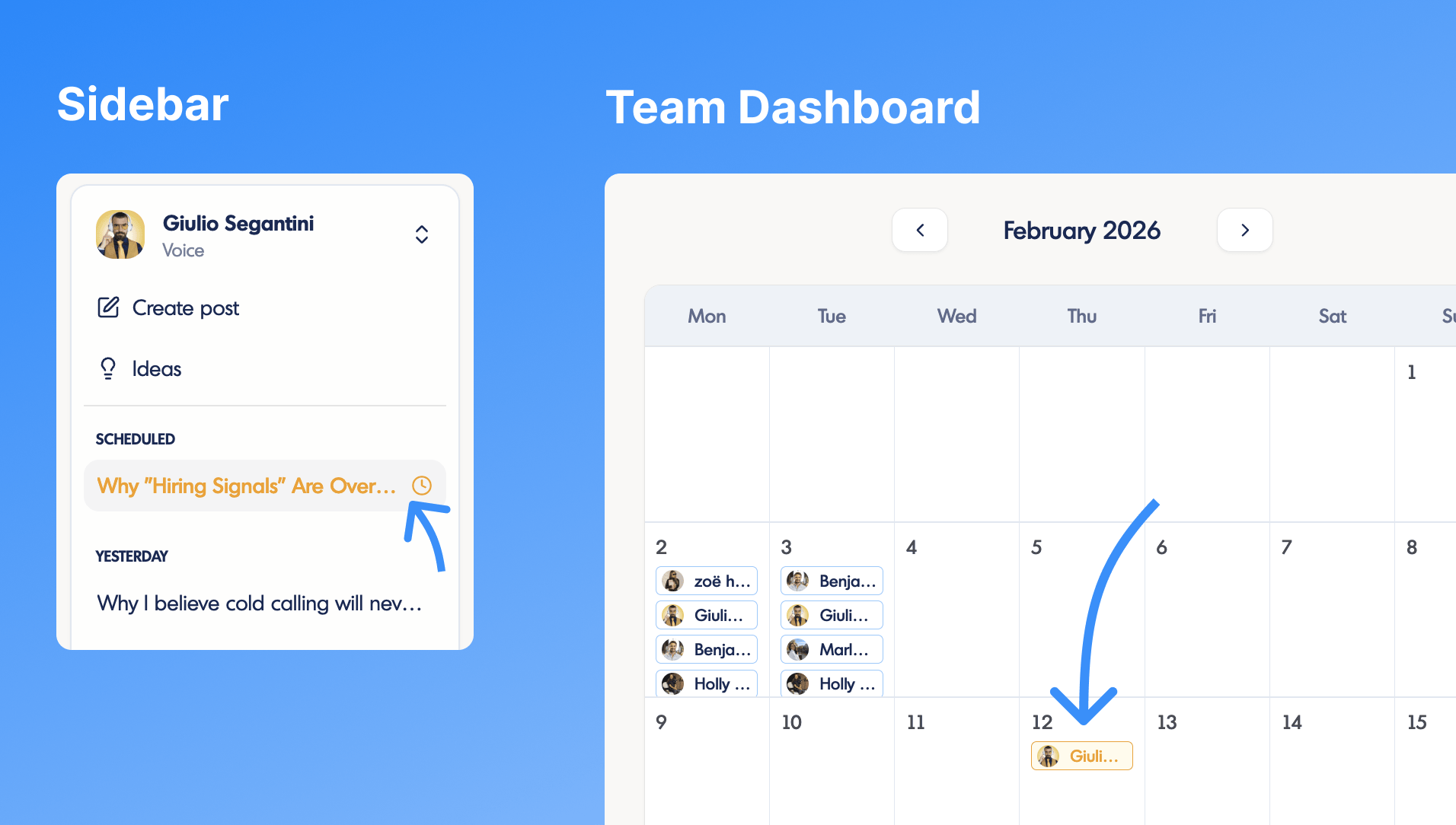
Your posts will automatically be published on the connected LinkedIn account at the scheduled time. This way, you can focus on your work and still maintain a consistent LinkedIn posting schedule.
That's it!Your LinkedIn content scheduling is now on autopilot. You can view, edit, or reschedule posts anytime from the sidebar or the dashboard's calendar view.
Schedule Any Type of LinkedIn Content
From text and images to video and carousels, schedule your content in one place.
Text posts
Schedule LinkedIn text posts with rich formatting.
Image posts
Schedule posts with one or multiple images.
Video posts
Schedule LinkedIn video posts for maximum reach.
Carousel posts
Schedule LinkedIn carousel posts with multiple slides.
Why inkiro.ai is the Best LinkedIn Scheduling Tool
Schedule posts in advance
Plan your entire LinkedIn posting schedule weeks or months ahead.
All content types supported
Schedule text-only, image, video, and carousel/PDF posts.
Personal & Company Pages
Schedule LinkedIn content to both individual profiles and company pages.
Batch content creation
Create a week's worth of posts in one session using our LinkedIn post generator.
Official LinkedIn API integration
Safe and compliant integration that won't get your account flagged.
Stay consistent
Build your LinkedIn presence with a consistent posting schedule.
Frequently Asked Questions
Why should I schedule my LinkedIn posts in advance?
In order to build a strong LinkedIn presence, you need to post consistently every week. A strong personal brand requires building trust and familiarity with your audience, which is only possible if they see you on their feeds.
Scheduling your posts in advance allows you to plan your content in advance and make sure you stay consistent even when you're busy. This is the secret that most people on LinkedIn don't tell you about.
Do I have to schedule all my LinkedIn posts?
No, not really. Scheduling should be the thing you do every week but be flexible about it. You want scheduling to make sure you are consistent but also leave room for spontaneity. When it happens, simply shuffle the posts around and you're good to go.
How does inkiro.ai's scheduling work?
Our LinkedIn scheduling tool lets you plan and schedule your content in advance, by letting you create as much content as you want organize it in a calendar view. Our recommendation is to pick a day per week to write your posts and schedule them for the week ahead.
What content types can I schedule?
- Text-only posts with rich formatting
- Image posts with one or multiple images
- Video posts for maximum reach
- Carousel posts with multiple slides
Is this compliant with LinkedIn's terms of service?
Yes! inkiro.ai connects to LinkedIn through their official publishing API using OAuth authentication. This means the integration is fully compliant with LinkedIn's terms of service and won't get your account flagged.
Ready to schedule your LinkedIn posts?
Start scheduling LinkedIn posts for free. No credit card required.