Product updates

Changelog

Everything we've shipped: new features, improvements, and updates to inkiro ai.

March 2026

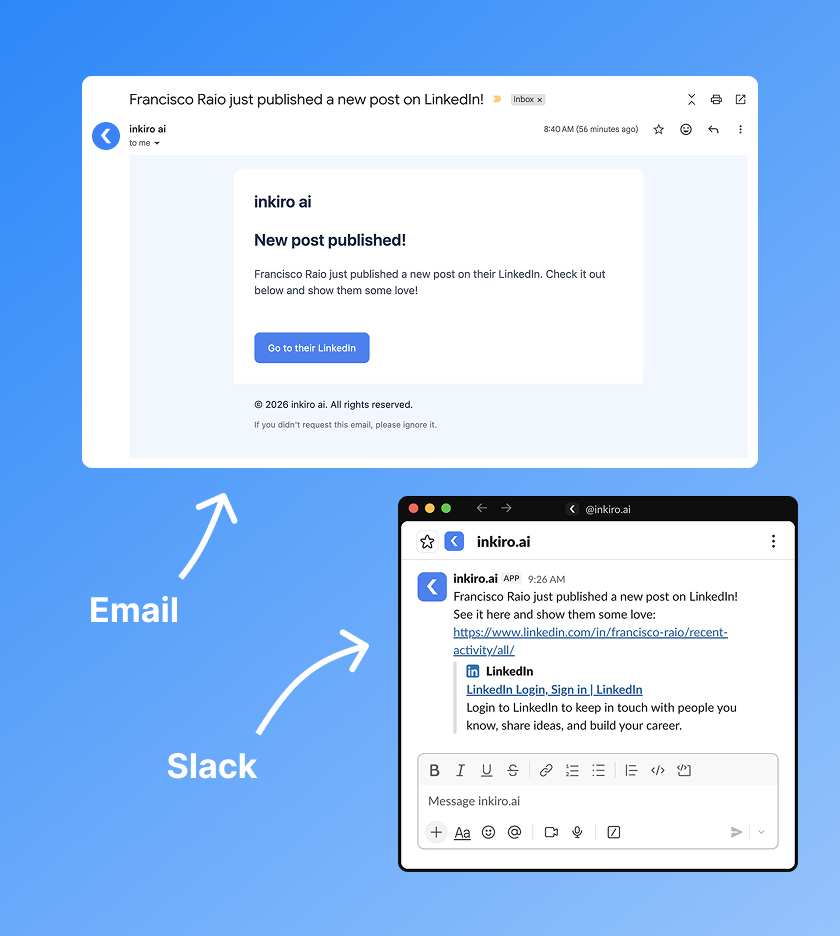
Post notifications via email & Slack

If you're part of a team on inkiro.ai, you are now be notified whenever a team member publishes a new post on LinkedIn. You can check it out and show them some love :)

  • Email to everyone on your team (and yourself, as a reminder, if it's a scheduled post)
  • Slack through our Slack agent (if you have it connected)
Post notifications via email and Slack in inkiro.ai

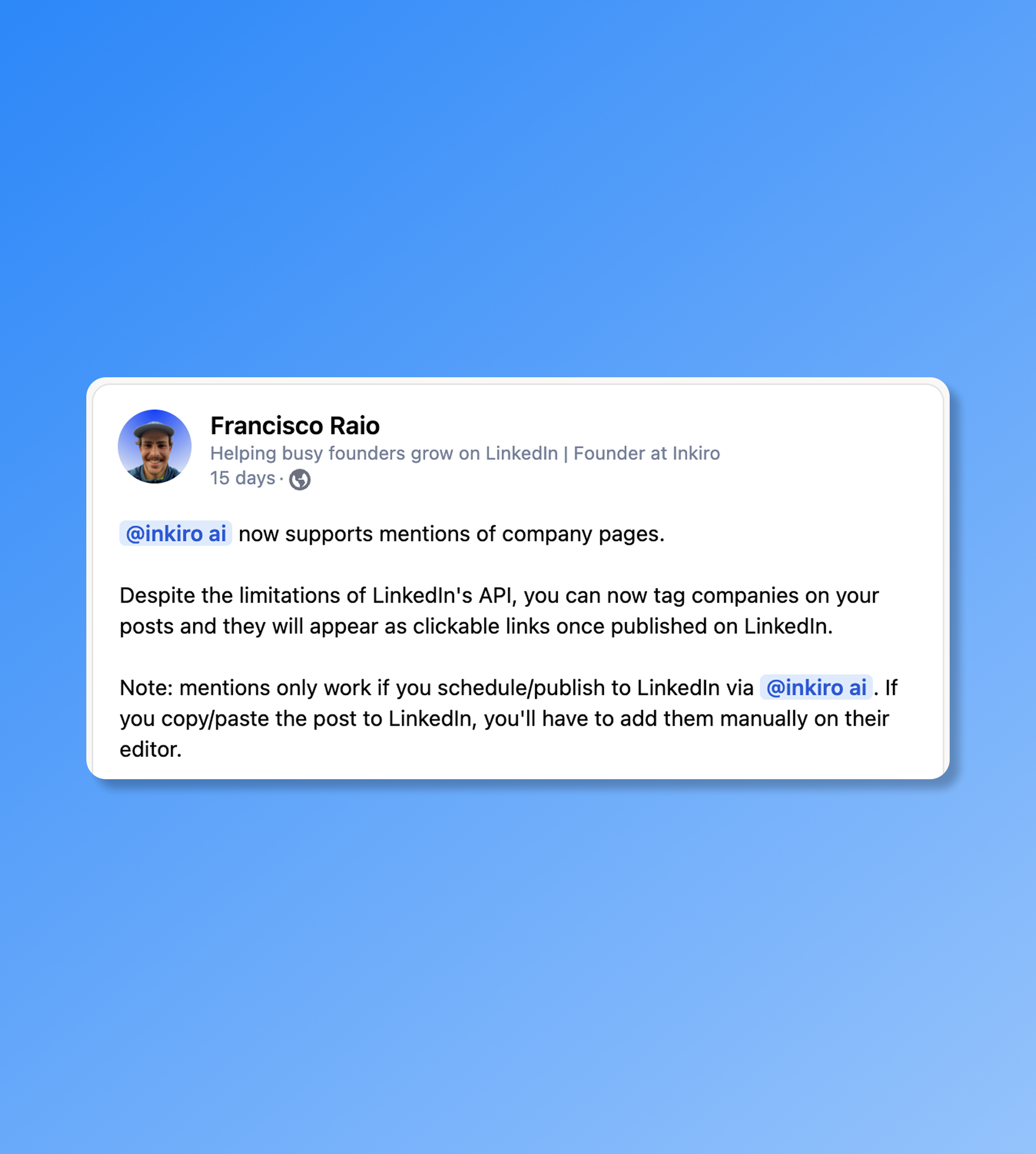
Company mentions on your posts

You can now mention and tag LinkedIn company pages directly in your posts on inkiro.ai. This is a very simple feature but very handy!

  • To tag a company, simply type @ and then grab its page from LinkedIn.
  • Tagged companies will appear as normal clickable links when published on LinkedIn.
Company mentions feature in the inkiro.ai post editor

February 2026

Your LinkedIn content agent on Slack

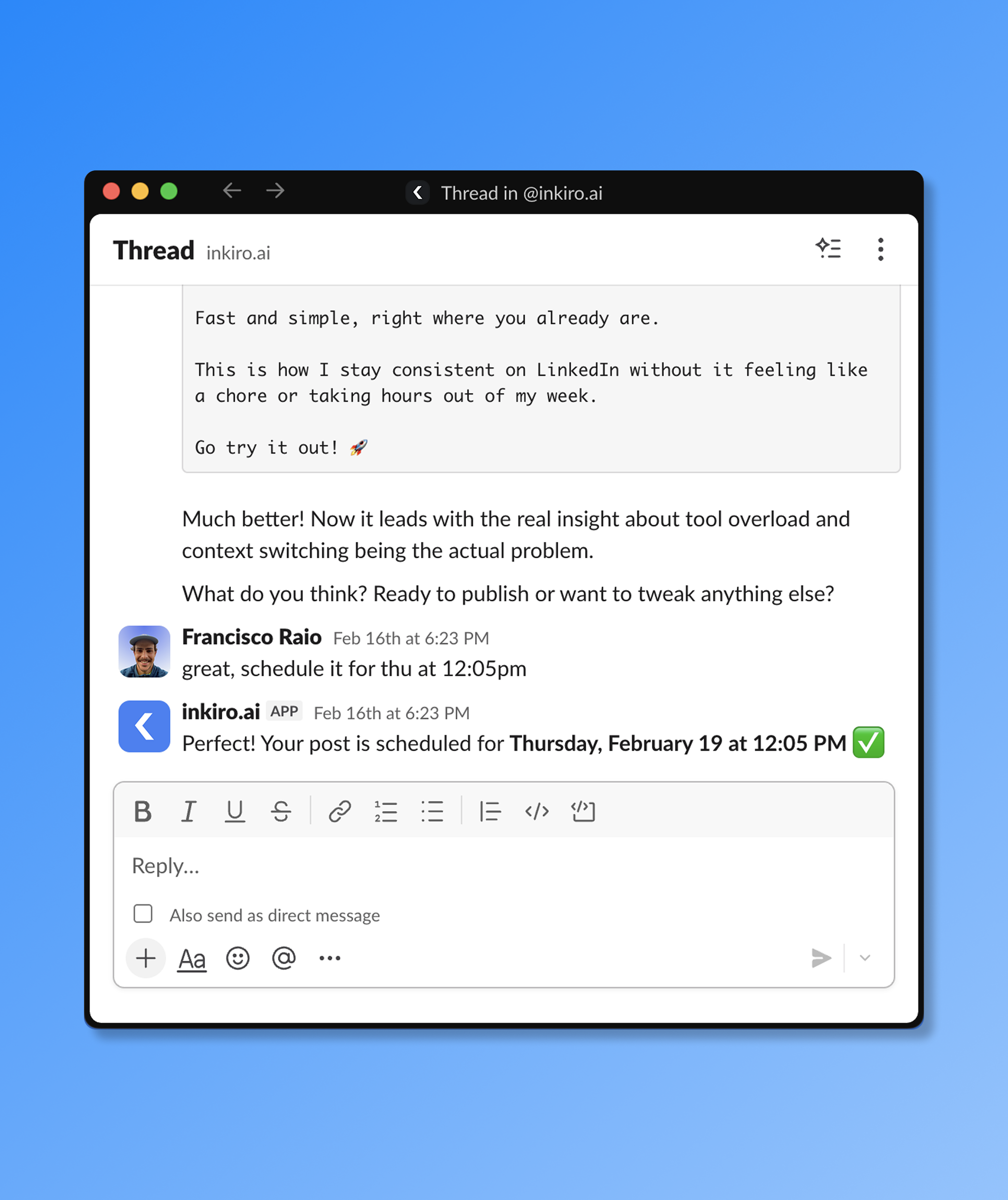
Connect your Slack workspace and interact with inkiro.ai entirely through chat. Write and edit posts, generate content ideas, schedule or publish to LinkedIn, all without leaving Slack.

  • Brainstorm ideas, write and edit posts by chatting with the agent
  • Schedule and publish posts directly from Slack
  • Ask about your best-performing content and analytics
  • Proactive weekly check-ins to help you stay consistent
inkiro.ai Slack agent showing a conversation about LinkedIn content

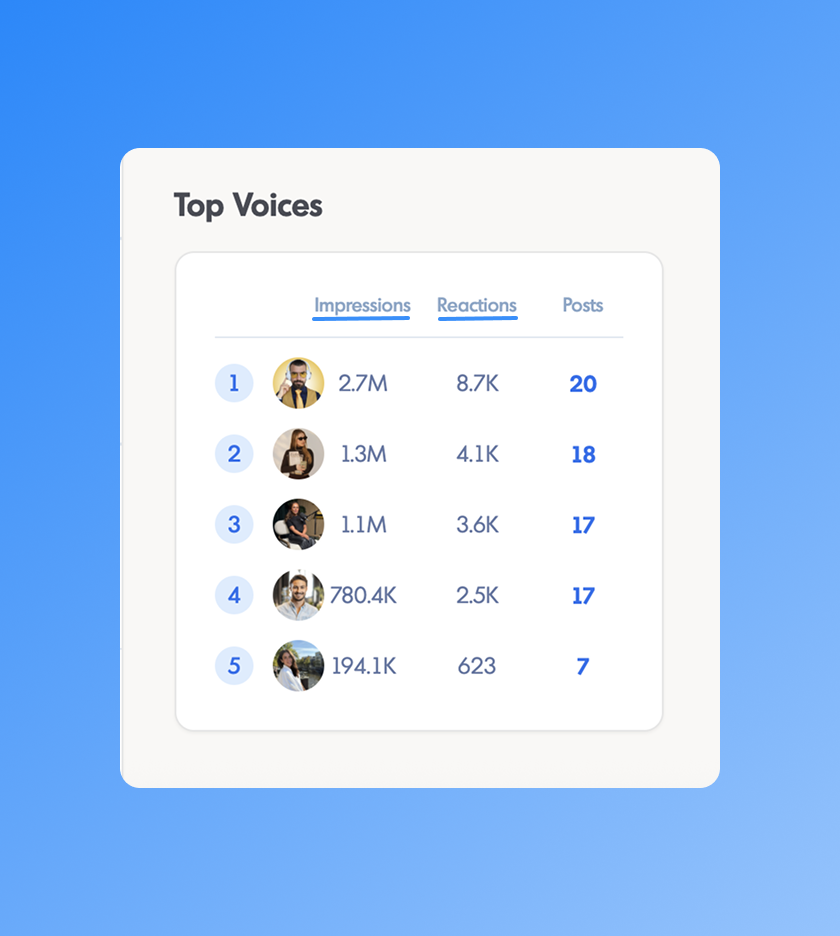
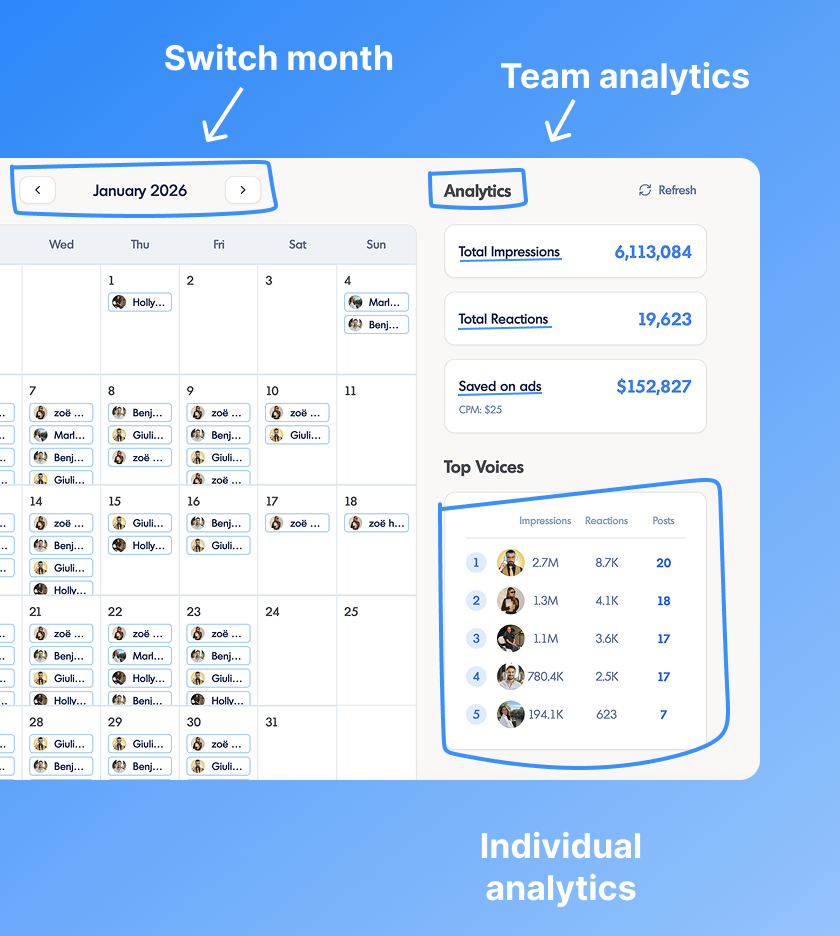
Impressions & reactions per voice in the team dashboard

The team dashboard now shows granular LinkedIn analytics broken down per voice. See which team members are getting the most reach and engagement, so you can double down on what's working.

  • Per-voice impressions and reaction counts in the calendar view
  • Team leaderboard shows engagement alongside post counts
  • Helps identify top-performing voices across the team
Team analytics dashboard showing impressions and reactions per voice

Better voice settings: custom context & writing rules

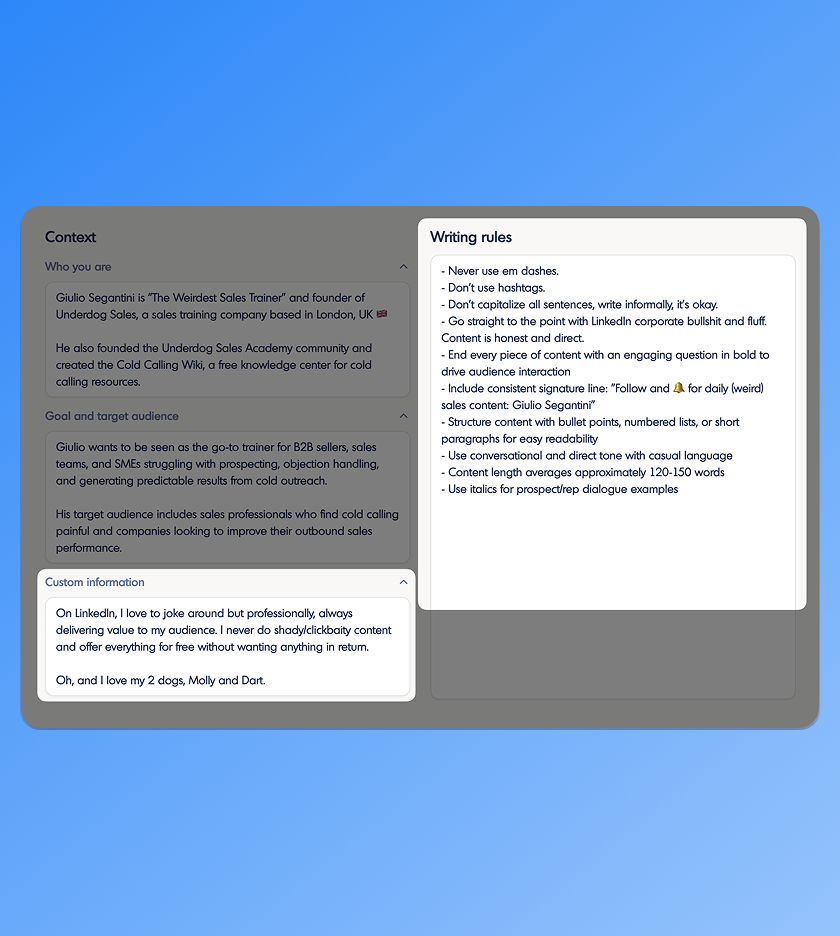
You now have full control over how your AI voice writes. Add a custom context field with background information about you or your company, and define specific writing rules the AI must follow every time it generates content.

  • Custom information field: tell the AI anything it should always know about you
  • Writing rules field: set constraints like tone, formatting, or topics to avoid
  • Settings are applied to every post, idea, and rewrite for that voice
Voice settings with custom context and writing rules in inkiro.ai

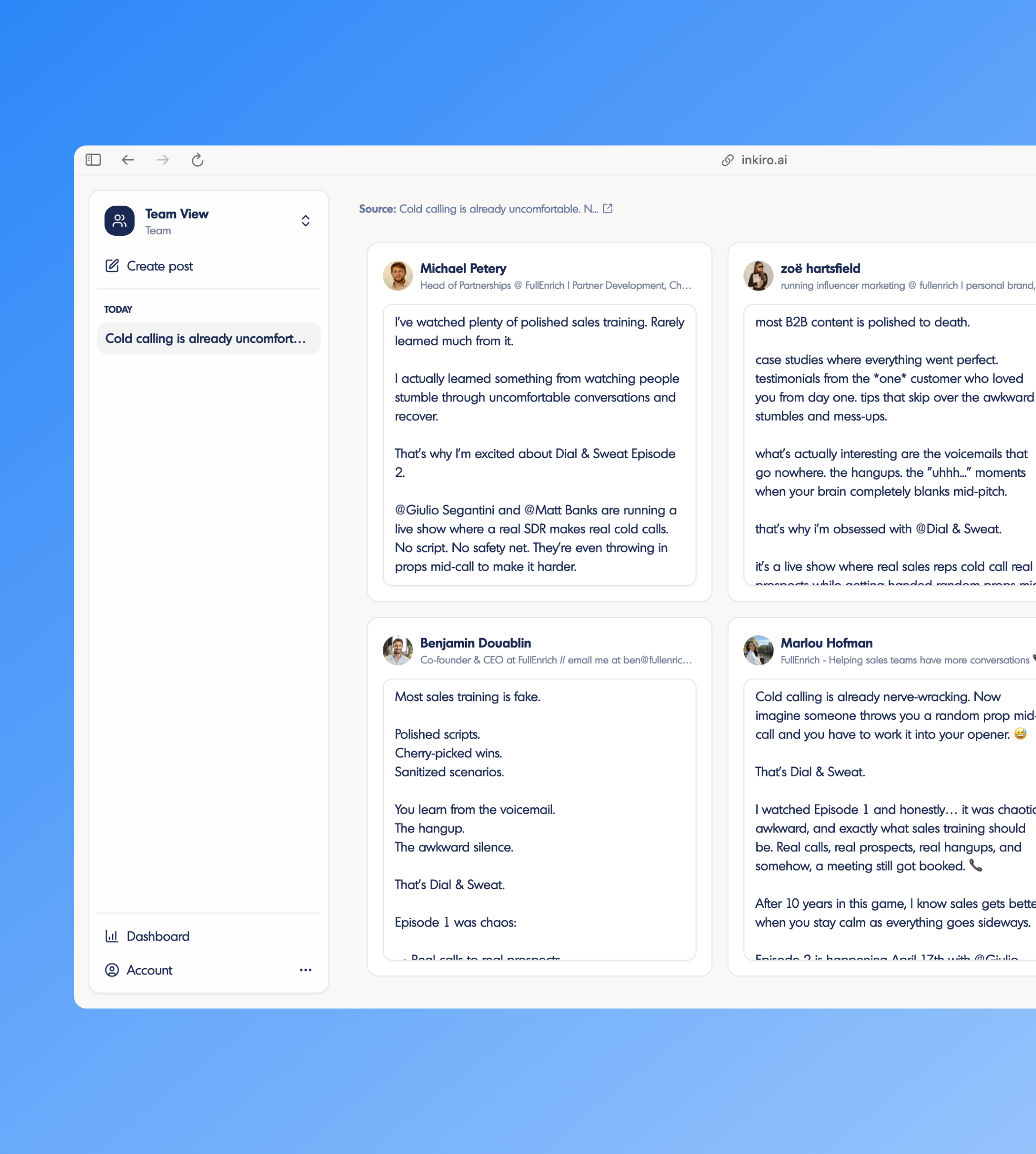
Create ideas from a URL or pasted content

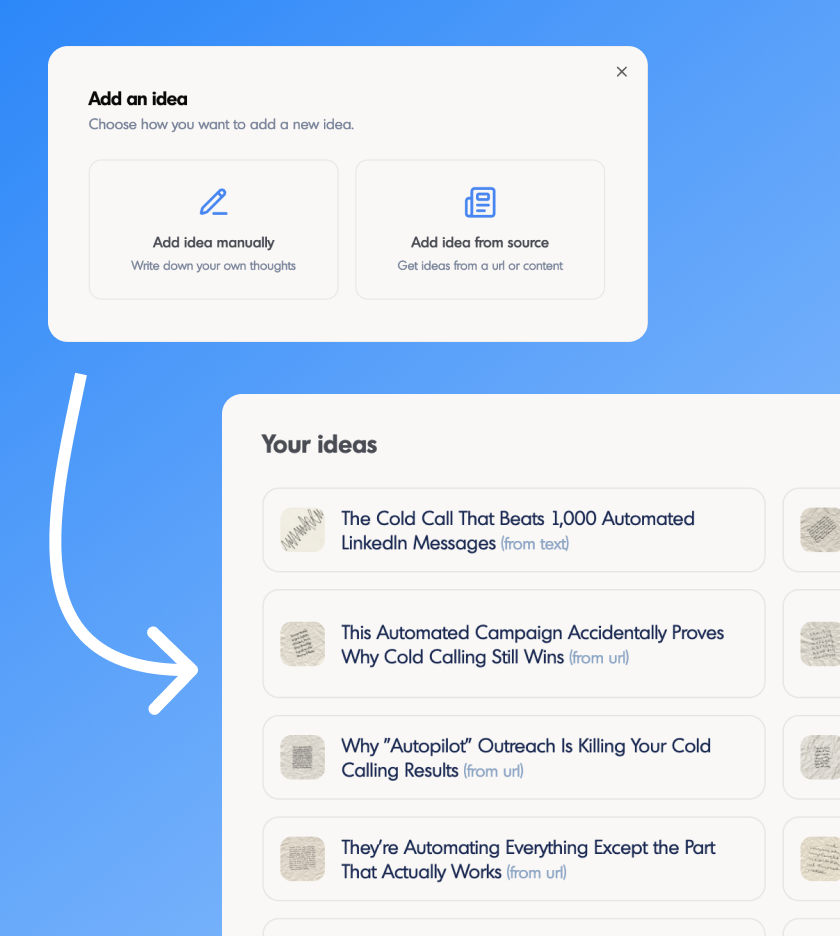
The ideas page has been completely redesigned. Beyond browsing suggested ideas, you can now paste any URL, article, transcript, or text and instantly generate post ideas from it.

  • Generate ideas from any URL (article, blog post, news story)
  • Paste raw content like transcripts, notes, or drafts and get post ideas
  • Improved gallery layout for browsing, saving, and acting on ideas
New ideas page with source-based idea generation in inkiro.ai

January 2026

LinkedIn account delegation

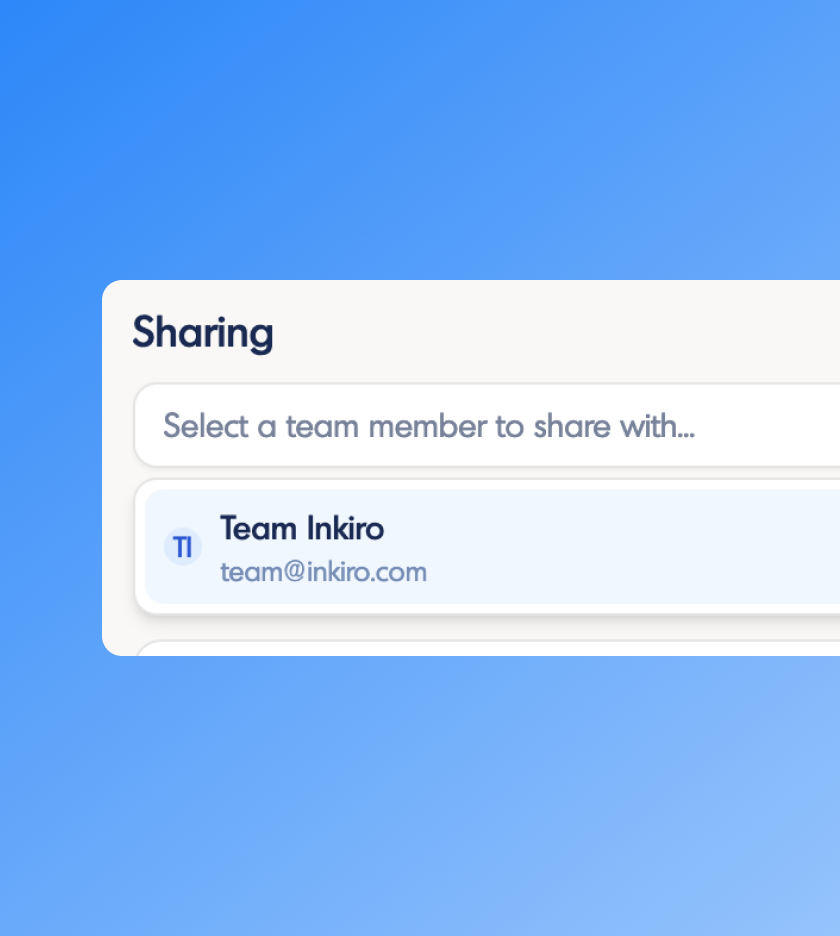
Natively, LinkedIn doesn't support account delegation. We solve this issue by helping you allow someone to publish/schedule content on your behalf:

  • Make sure your voice on inkiro.ai is connected to a LinkedIn account.
  • Go to your subscription page and add the email address under "Team Members" (must be a registered user).
  • Go to your Voice Settings, scroll down and add that user under "Sharing".
LinkedIn account delegation flow in inkiro.ai

December 2025

Profile pictures in the calendar & leaderboard

Voices in the team dashboard now display their LinkedIn profile picture throughout the app. The calendar and leaderboard feel more personal and make it easier to identify who's who at a glance.

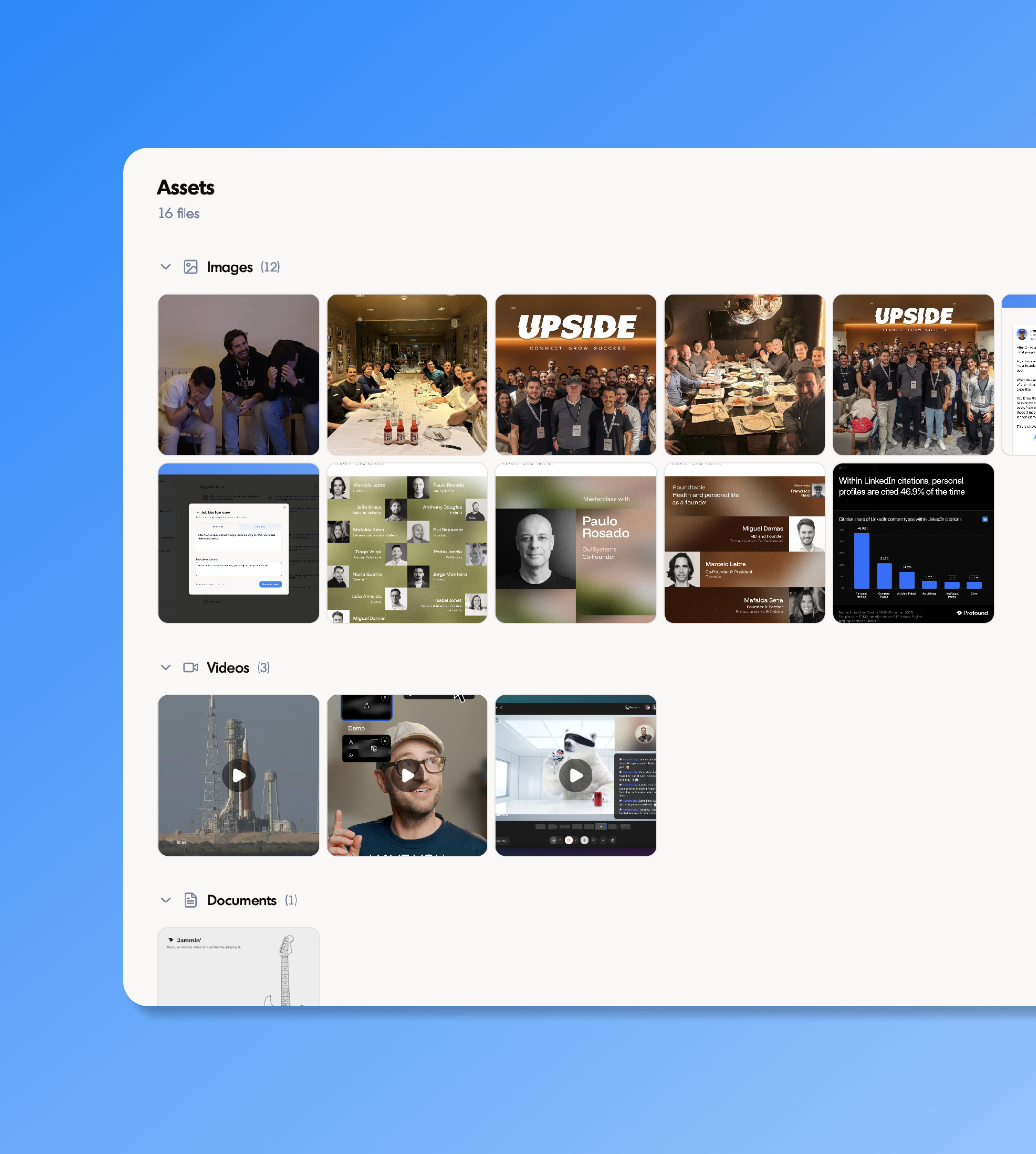
Support for video and PDF uploads

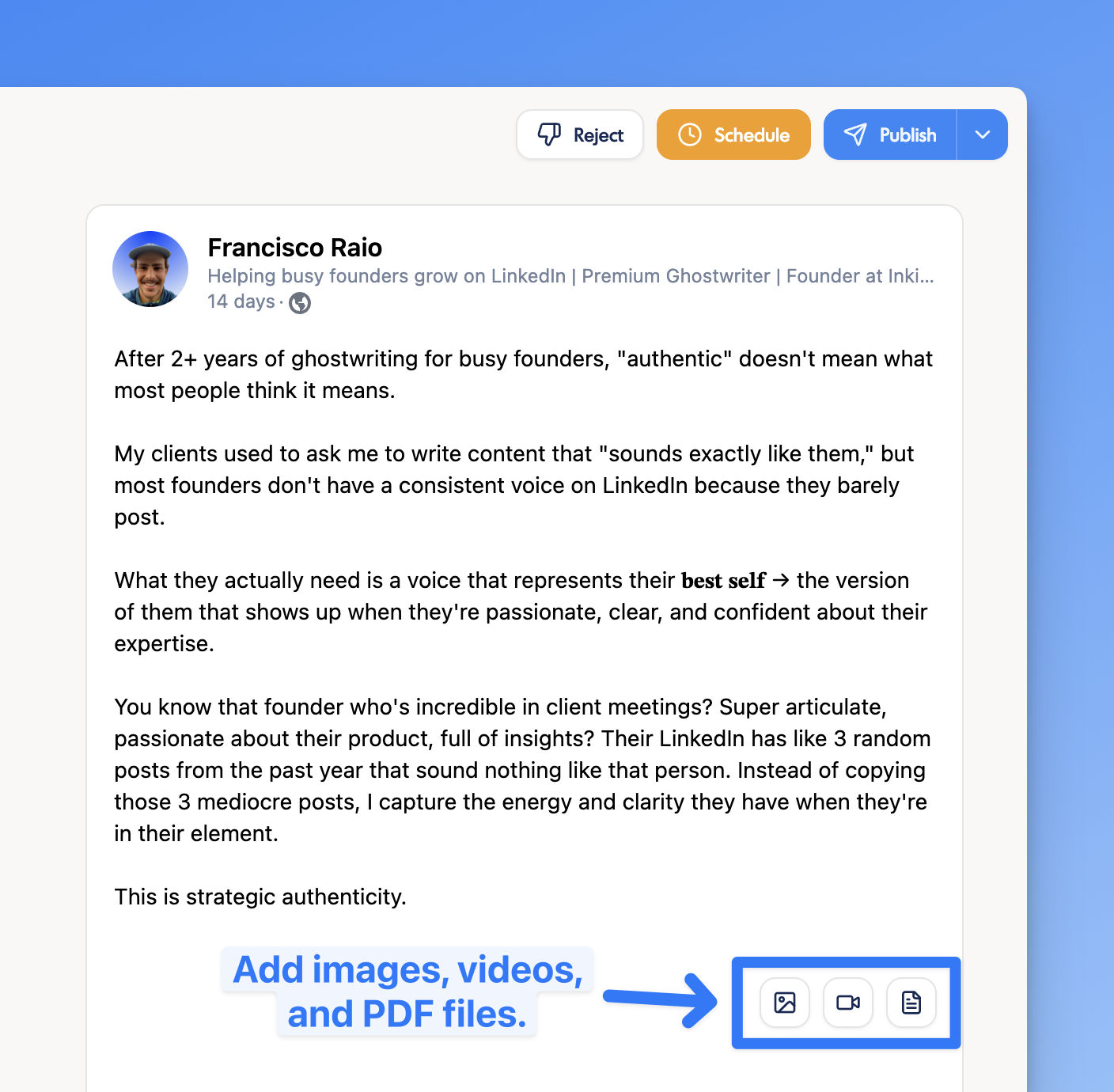
You can now attach videos and PDF files (e.g. carousels) to your posts and publish/schedule them directly from inkiro.ai. We're using LinkedIn's official new Post API and now support all media types: images, videos, and documents.

  • Images (JPG, PNG, WebP, up to 5 MB)
  • Videos (MP4, MOV, AVI, WebM, up to 200 MB)
  • Documents (PDF, PPT, DOC, up to 100 MB)
Video and PDF document upload in the inkiro.ai post editor

November 2025

LinkedIn integration: schedule & publish directly

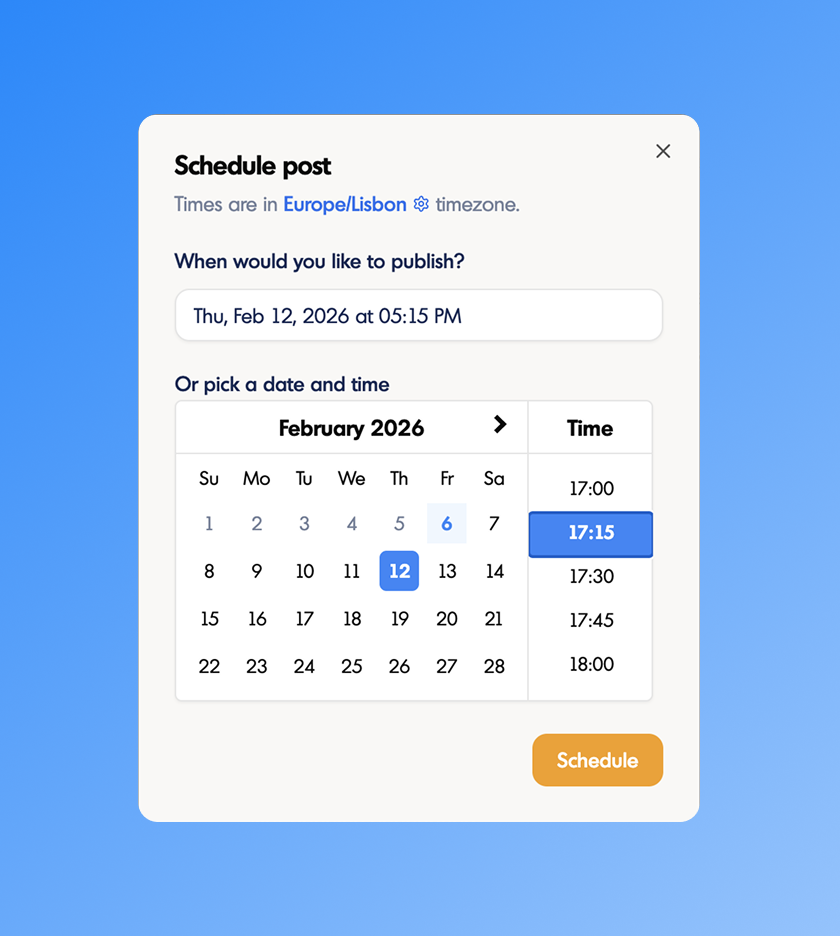
Connect your LinkedIn account and publish or schedule posts directly from inkiro.ai. Your content goes live on LinkedIn exactly when you want it to.

  • Connect your LinkedIn account from any post page or Voice Settings.
  • Schedule posts for a specific date and time, or publish immediately.
  • Scheduled posts appear on the Dashboard calendar, visible to everyone on your team.
  • Reschedule or unschedule any post at any time before it goes live.
LinkedIn scheduling and publishing in inkiro.ai

Voice examples from your favorite profiles

When setting up a new voice, if you don't have past content for us to learn how you write, you can now use other LinkedIn profiles as examples.

October 2025

Personalized content ideas

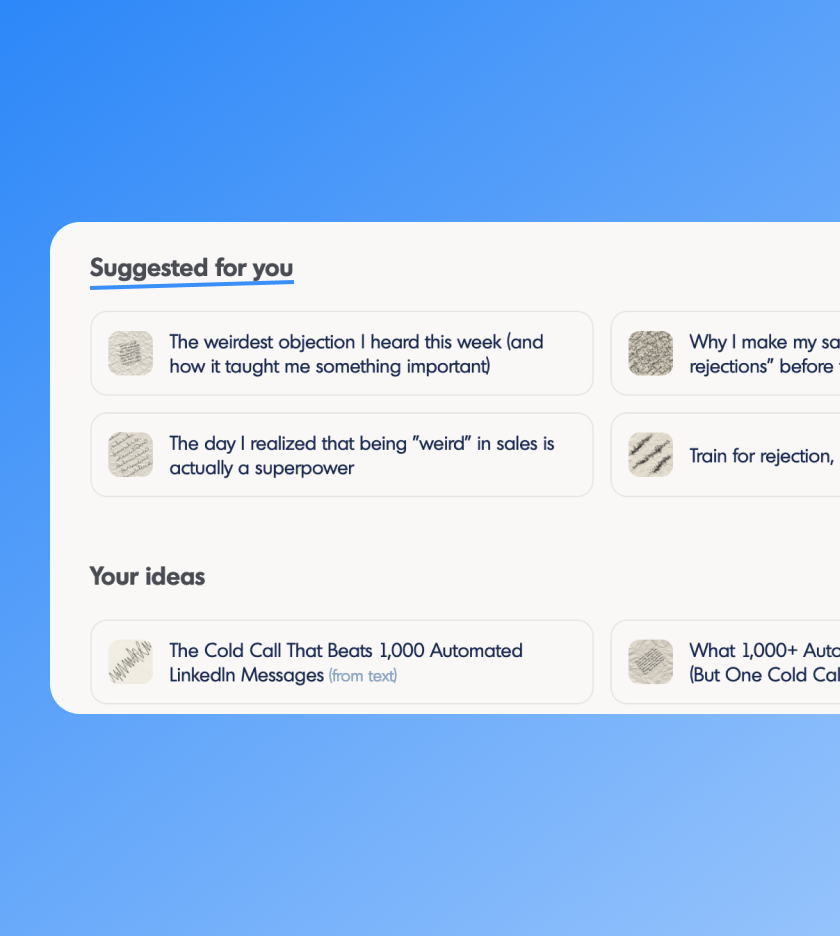
inkiro.ai now proactively generates content ideas for you based on your LinkedIn profile and past content. Open the ideas page and find fresh post angles waiting for you.

  • Ideas generated automatically from your voice's LinkedIn content
  • Each idea includes a title and a suggested angle
  • Turn any idea into a draft with one click
AI-generated content ideas in inkiro.ai

September 2025

Image upload in posts

Attach images to your LinkedIn posts directly in the inkiro.ai editor. Upload a photo or graphic and it will be included when you publish or schedule the post to LinkedIn.

  • Upload images directly from the post editor
  • Images are attached when publishing or scheduling to LinkedIn

Individual & team plans

inkiro.ai now offers separate plans for solo creators and teams. Individual plans focus on a single voice, while team plans unlock multi-voice management, LinkedIn analytics, shared voice access, and collaboration features across your organization.

August 2025

Team dashboard

Get a full picture of how your team is performing on LinkedIn. The team dashboard brings together content activity and organic reach metrics across all voices in your workspace.

  • Team-wide totals for impressions, reactions, and estimated ad spend saved from organic reach
  • Individual leaderboard showing top voices by impressions, reactions, and number of posts
  • Shared content calendar with all published and scheduled posts across the team
inkiro.ai team dashboard with content calendar and leaderboard