
LinkedIn Analytics
For Your Whole Team
Track LinkedIn post impressions, reactions, and money saved on ads. See who's posting more and your team's footprint on LinkedIn.
How to Track LinkedIn Analytics on inkiro.ai
Get started with simple LinkedIn analytics for your team.
Add all your team member's profiles
Create a team account and add your team members' LinkedIn profiles. Once created, we'll start tracking all their posts and metrics.

View your LinkedIn analytics in the Team Dashboard
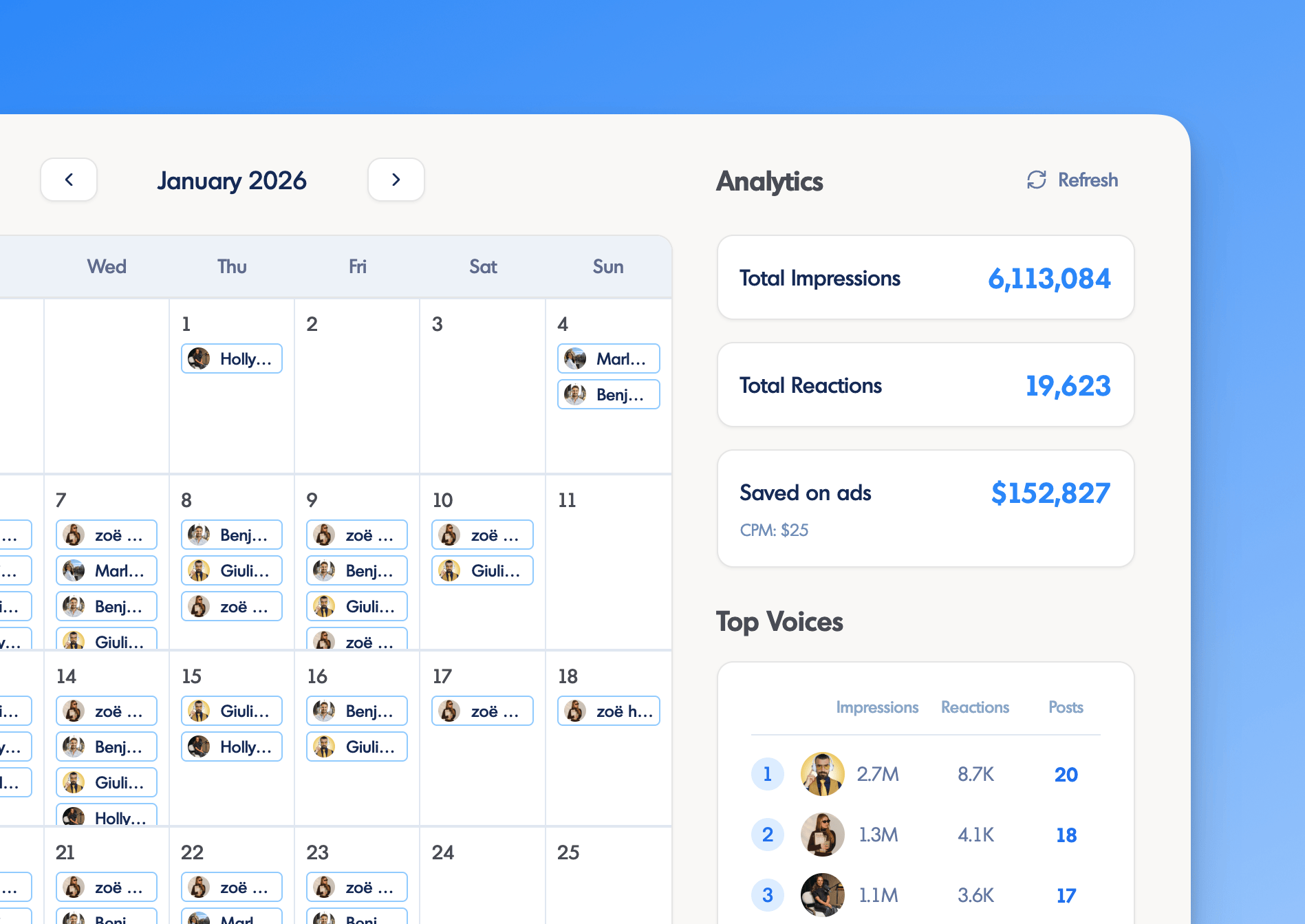
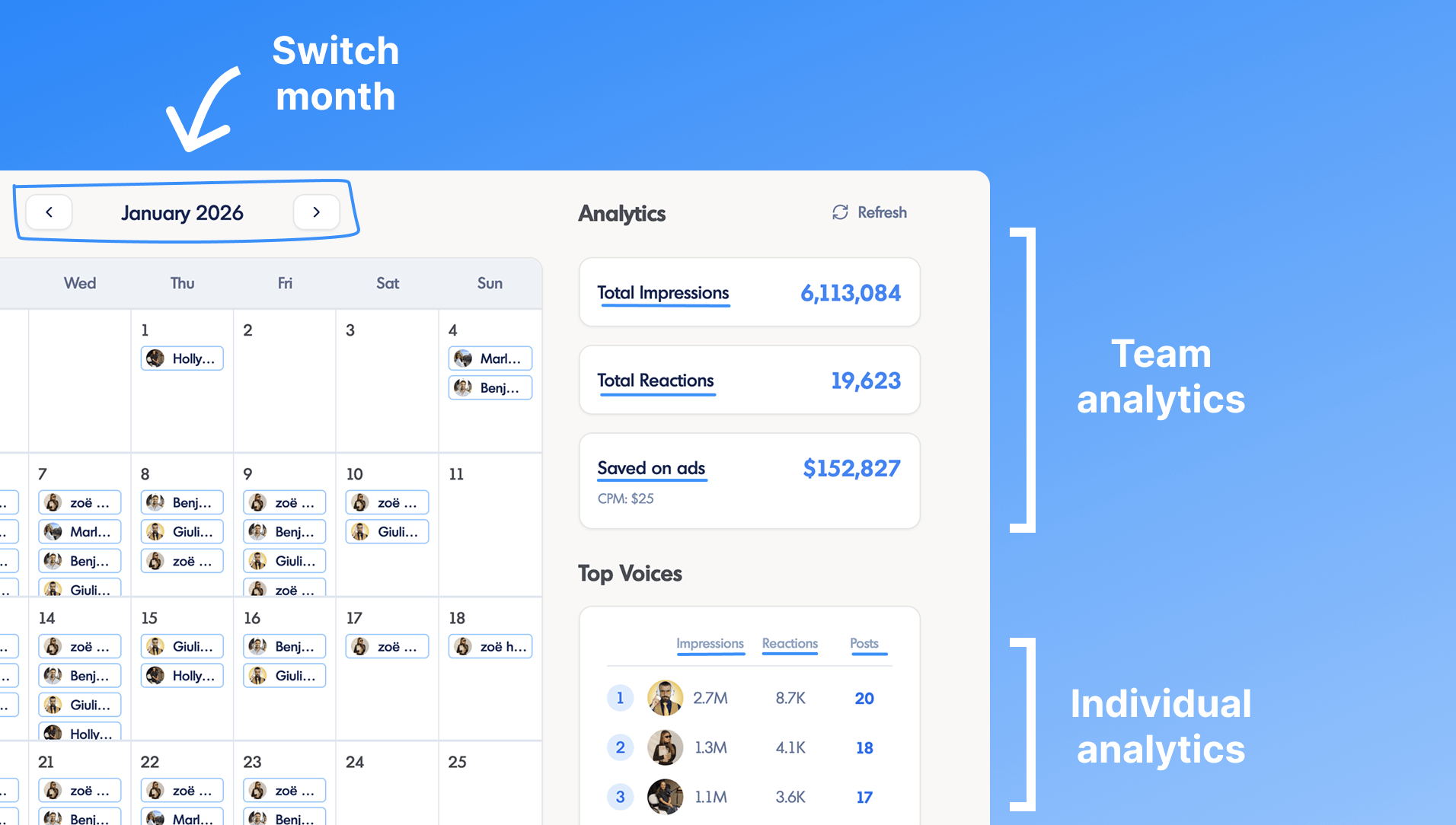
Get an overview of your team's content in a calendar view. See aggregated impressions, reactions, and money saved on ads for the whole company. Track top-performing team members and individual analytics.
LinkedIn Metrics We Track
Comprehensive LinkedIn analytics to measure your content performance.
Team Impressions
Track LinkedIn impressions to see how many people saw your team's posts.
Team Reactions
Count likes, celebrates, and all reaction types on all your team's posts.
Money Saved on Ads
See how much money your team has saved on ads by posting organically consistently.
Individual Impressions
See how many impressions each team member's posts have generated.
Individual Reactions
See how many reactions each team member's posts have generated.
Number of Posts
See how many posts each team member has published on LinkedIn.
How to Measure LinkedIn Success For Your Team
Track aggregated reach/impressions
The goal is to have your team's posts seen by as many people as possible.
See who's posting more and why
Help you team learn from each other and improve their posting strategy.
Show there is ROI in organic content
By tracking money saved on ads, you can show your team that it's worth sharing more organic content.
Understand what content resonates with your audience
By tracking reactions, you can understand what content resonates with your audience and what doesn't.
Frequently Asked Questions
Can I see my team's LinkedIn analytics directly on LinkedIn?
No, you can't. LinkedIn's native analytics are limited to individual profiles and company pages. In order to see your team's LinkedIn analytics, you'd have to ask each person to share their analytics with you and compile and analyze everything yourself.
How does inkiro.ai calculate the money saved on ads?
We calculate the money saved on ads by multiplying the impressions you team collectively got by the CPM you'd have to pay to get the same impressions with LinkedIn Ads. We use a default CPM of $25 but you can adjust it to your own CPM to get a more accurate estimate.
How does inkiro.ai's analytics work?
Inkiro.ai pulls all posts and metrics for the voices you've added to your team subscription. That way you stay on top of each team member's publishing activity, and their performance metrics are brought into one team dashboard so you can see everything in one place.
What metrics can I track?
- Team Impressions — how many people saw your team's posts
- Team Reactions — likes, celebrates, and all reaction types on your team's posts
- Money Saved on Ads — how much your team has saved by posting organically
- Individual Impressions — impressions per team member
- Individual Reactions — reactions per team member
- Number of Posts — how many posts each team member has published
Does this work for individual profiles?
Yes! Unlike many analytics tools that only work with company pages, inkiro.ai provides LinkedIn analytics for both company pages and personal profiles.
Ready to track your team's LinkedIn analytics?
Start measuring your team's LinkedIn presence with comprehensive analytics.