
LinkedIn Account Delegation
Without Sharing Passwords
Delegate LinkedIn account access to a team member or ghostwriter to post on your behalf. No need to share passwords or 2FA codes.
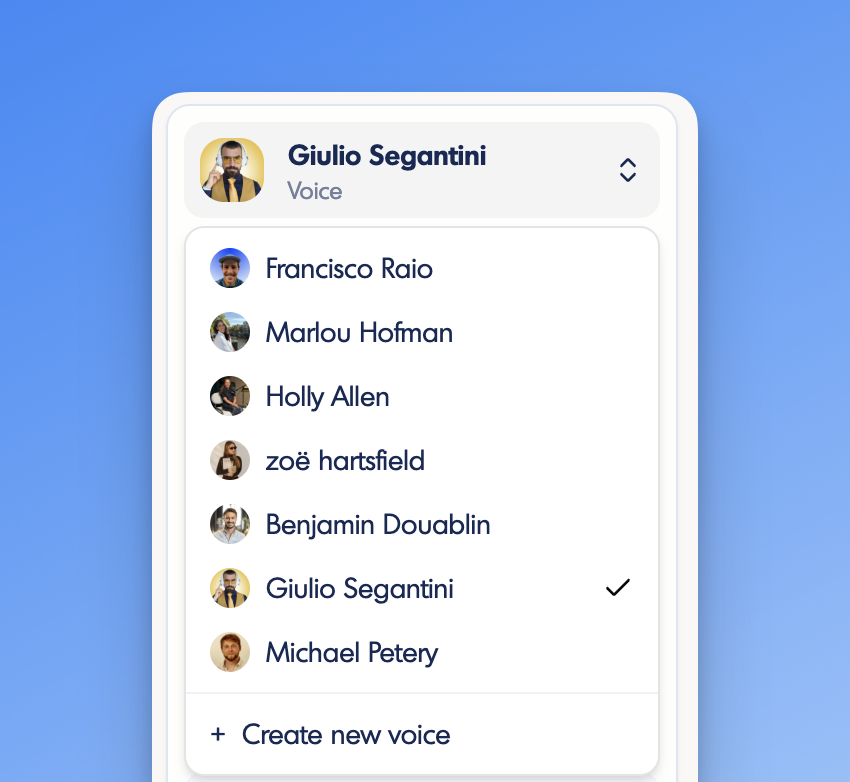
How to Set Up LinkedIn Account Delegation in inkiro.ai
Get started with just 3 simple steps.
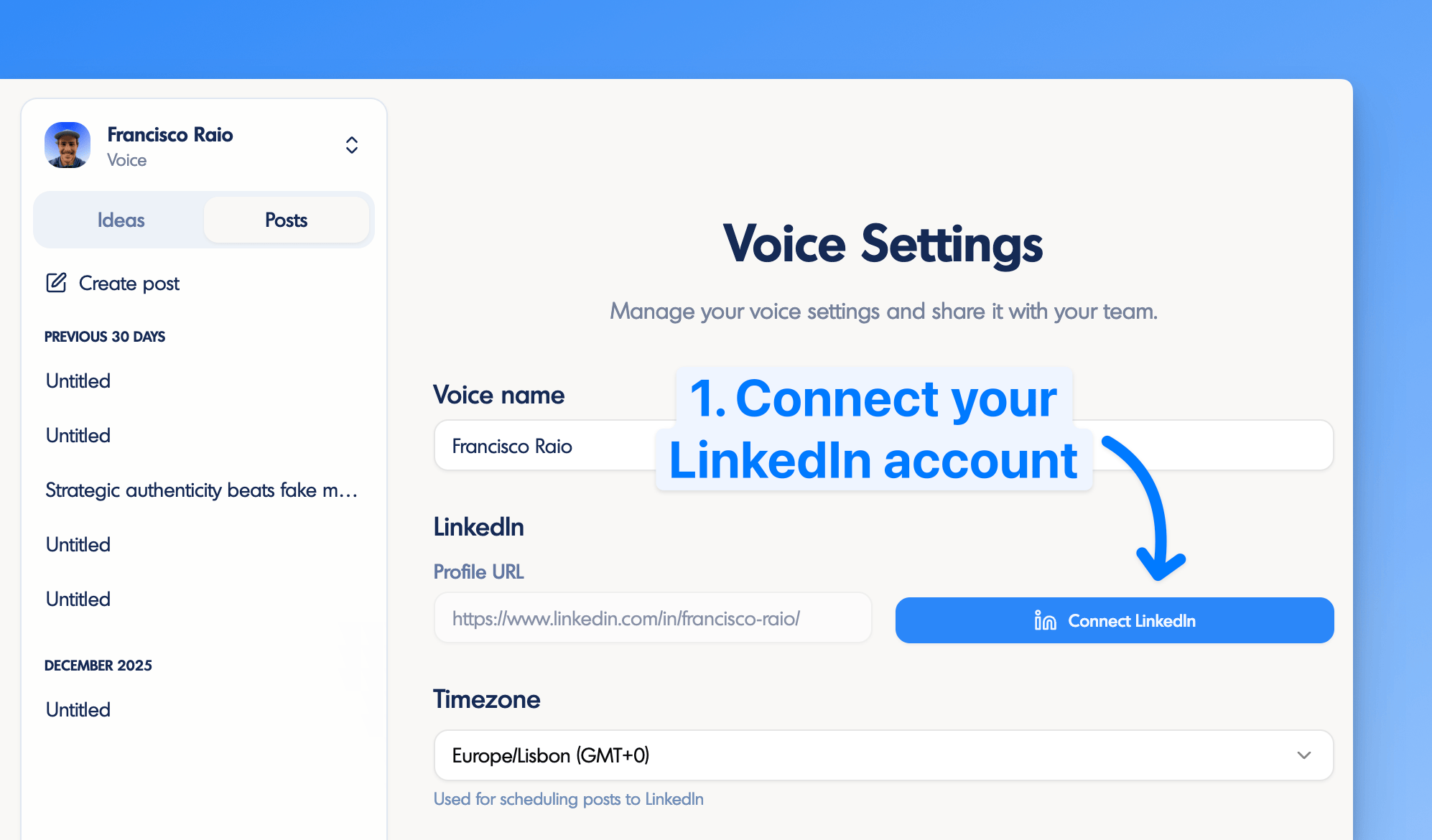
Connect your LinkedIn account to your voice
Create a voice on inkiro.ai and connect it to your LinkedIn profile through our official integration. This establishes a secure connection that allows content to be scheduled and published on your individual LinkedIn profile.
Note: The LinkedIn connection uses OAuth, meaning you authorize inkiro.ai without ever sharing your password with us.
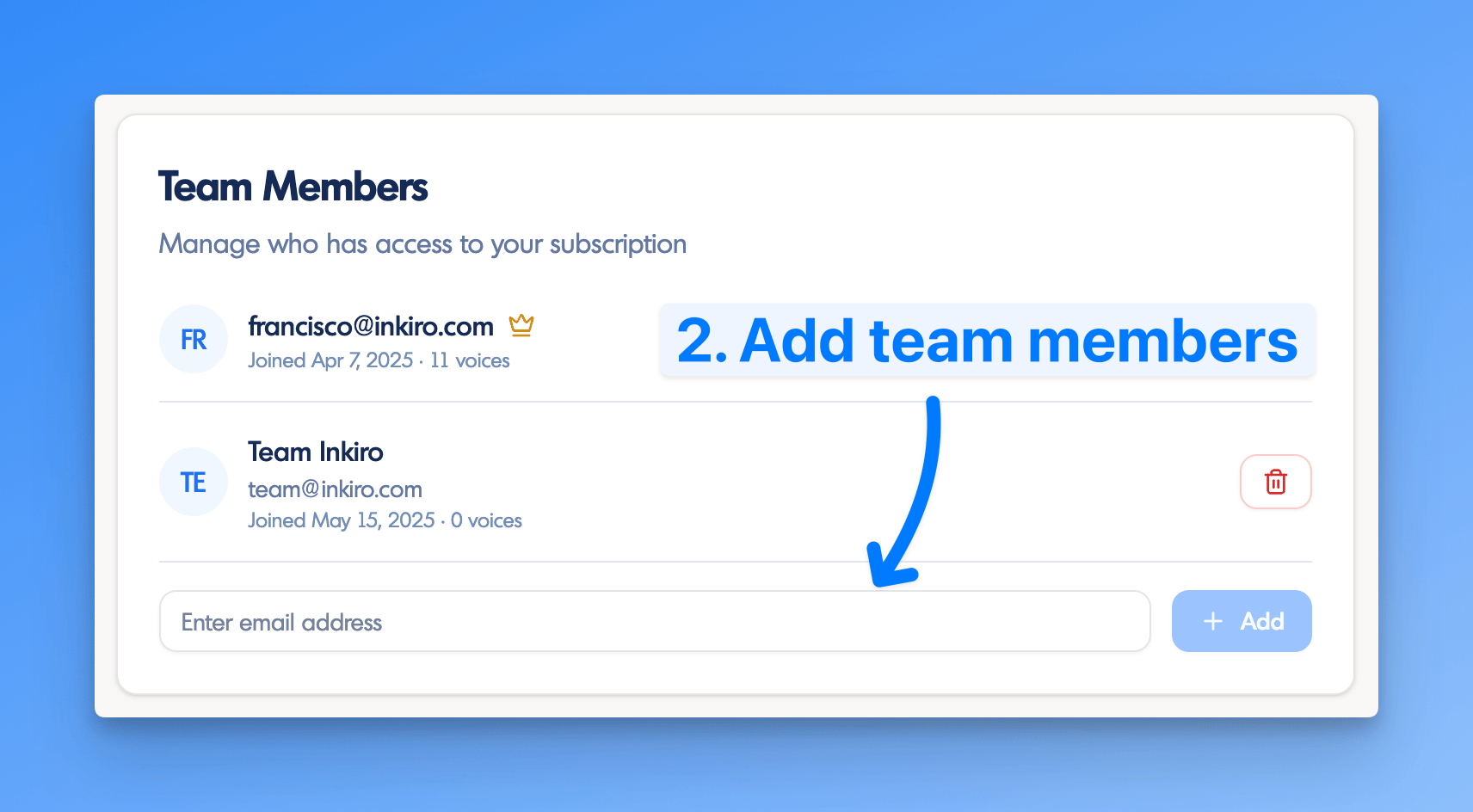
Add team members to your subscription
Go to your subscription page and add the email addresses of the people you want to delegate to under "Team Members". They must be registered users for you to find them in the dropdown.
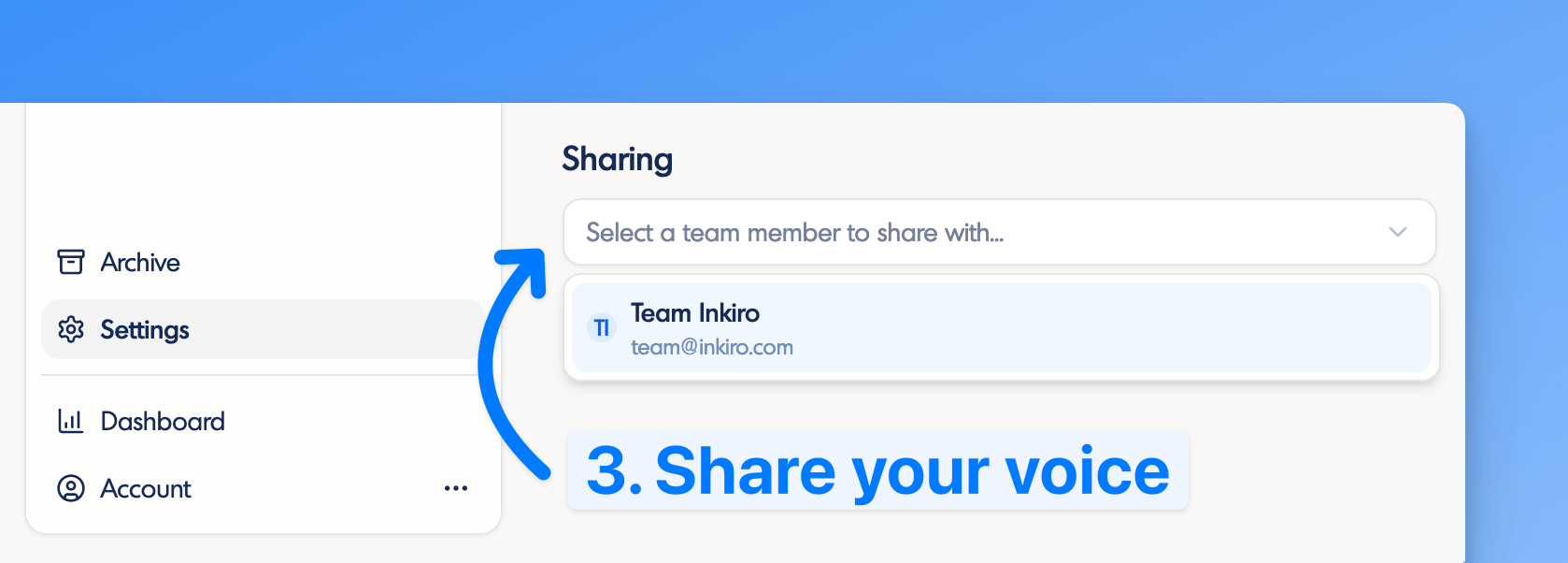
Share your LinkedIn voice with specific people
Go to your Voice Settings page, scroll down to the "Sharing" section, and add the team members you want to grant scheduling and posting access to.
And you are done!Your LinkedIn individual profile is connected to your voice on inkiro.ai, which is then shared with the people helping you create content.
Why teams love our LinkedIn Delegation feature
No password sharing
Keep your LinkedIn credentials completely private.
Full control
See who has access and revoke it anytime.
No need to share 2FA codes
Avoid the hassle of sharing codes manually.
Seamless collaboration
Team members can draft, review, schedule, and publish.
Official LinkedIn API
Compliant integration that won't get your account flagged.
Consistent posting
Posts are published without depending on a busy exec.
Frequently Asked Questions
Why doesn't LinkedIn support account delegation for personal profiles?
Natively, LinkedIn only supports delegation for company pages. It doesn't allow you to give someone else permission to publish or schedule a post on your individual profile. This creates a significant challenge for marketing teams managing executive profiles, content managers coordinating team posts, agencies handling client accounts, and executives who need help staying active on LinkedIn.
Is sharing my LinkedIn password a good alternative?
No, sharing passwords is NOT a good idea. Without a native delegation feature, some people resort to sharing their LinkedIn password with others, but this comes with serious consequences:
- Violates LinkedIn's User Agreement
- Gives total access to your account unnecessarily
- Exposes your account to potential security risks
How does inkiro.ai solve the account delegation problem?
We've built LinkedIn account delegation directly into inkiro.ai for individual profiles. You can keep your LinkedIn credentials private while giving someone else the ability to publish and schedule content on your behalf.
Secure by Design
Your credentials and 2FA are never shared
Team Collaboration
Share your voice with specific team members
Official Integration
Connected via LinkedIn's official API
What actions can team members perform on my LinkedIn account?
Is this compliant with LinkedIn's terms of service?
Yes. inkiro.ai connects to LinkedIn through their official publishing API using OAuth authentication. This means you authorize our app without ever sharing your password, and the integration is fully compliant with LinkedIn's terms of service.
Ready to delegate LinkedIn posting securely?
Start collaborating with your team today. No password sharing required.